

Wireless site survey cost comes down to three things: how much space the engineer has to cover, how deep the survey goes, and how easy the building is to get into. A predictive design for one office floor is a small job. An active survey across three warehouses, with AP-on-a-stick validation and a full design report, is a very different piece of work, and it’s priced that way.
This guide sets out the factors that move the price, so you can scope the job properly and compare quotes like for like. We don’t publish numbers, because the honest answer depends on the country, the site and the response tier you need. What we can do is show you where the hours go.
What drives wireless site survey cost
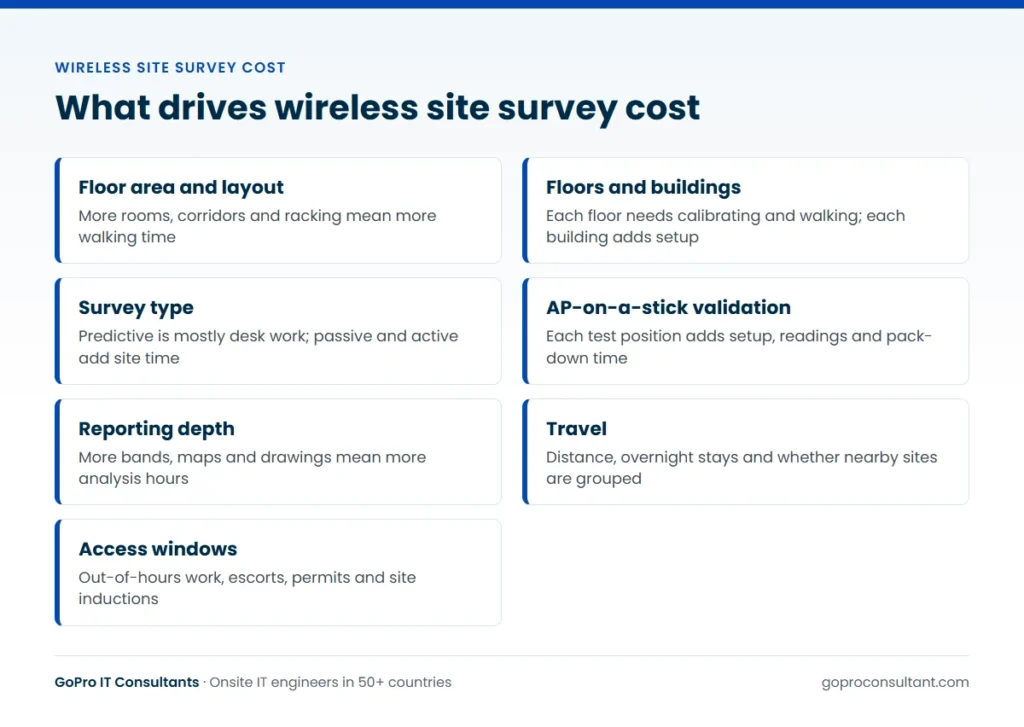
Most of the price is engineer time. There’s time on site walking the floor, time travelling to and from it, and time afterwards turning raw readings into something your network team can act on. Anything that adds hours to one of those three adds cost. These are the usual sources:
- Surveyable area: square metres, number of floors, separate buildings and outdoor areas
- Survey type: predictive, passive, active, or a combination
- Validation: whether the engineer mounts a temporary access point to test proposed positions
- Reporting depth: a short findings note or a full design pack with heatmaps and drawings
- Travel and logistics: distance, parking, the kit carried, overnight stays
- Access: working hours, escorts, permits, inductions and out-of-hours windows
When two quotes look far apart, they usually differ on one or two of these lines. Ask each supplier to state their assumptions against this list and the gap tends to explain itself.
Floor area, number of floors and buildings
Area is the obvious factor, but it isn’t linear. A single open-plan floor is quick to walk. The same square metres split into small rooms, corridors, stairwells and plant rooms take far longer, because the engineer has to cover every space where clients will roam and capture readings at a sensible density.
Floors count on their own. Each one needs a floor plan imported, scaled and calibrated in the survey software, and each one needs walking. Multi-storey buildings also bring floor-to-floor bleed into the analysis: signal from the access points above and below affects channel planning on every level.
Separate buildings add time even on a single campus. The engineer moves kit between them, sets up again, and may need to look at outdoor areas or yard coverage in between. Warehouses deserve a special mention. High racking, metal shelving and stock levels that change through the year all alter how RF behaves, so a warehouse usually takes longer per square metre than an office.
To get an accurate figure for area, send:
- Scaled floor plans (CAD or PDF) for every floor in scope
- A marked-up plan showing which areas are in and out of scope
- Ceiling heights and notes on construction, such as concrete cores or glass partitions
- Expected device types and numbers, for example laptops, voice handsets or handheld scanners

Survey type: predictive, passive or active
The type of survey sets the basic shape of the job. A predictive survey is mostly desk work: the engineer models the building in software, sets wall materials and attenuation, and plans access point positions before anyone visits. A passive survey means walking the site while the survey adapter listens to every access point in range, which shows coverage, signal strength, noise and interference from neighbouring networks. An active survey connects to the network while walking and measures what a client actually experiences: throughput, retries and roaming between access points.
Each step up adds site time and analysis time. Plenty of projects combine them, such as a predictive design for a new fit-out followed by a passive or active survey once the access points are installed. If you’re unsure which one you need, our guide to predictive, passive and active surveys sets out when each one fits.
| Survey type | Where the time goes | Typical use |
|---|---|---|
| Predictive | Desk modelling, little or no site time | New builds, fit-outs, early budgeting |
| Passive | Walking every area, analysing coverage and interference | Existing networks, complaints, audits |
| Active | Walking while connected, testing throughput and roaming | Voice, scanners, post-install sign-off |
AP-on-a-stick validation
AP-on-a-stick (often shortened to APoS) is where the engineer mounts an access point on a tripod or mast at the proposed height, powers it from a battery pack, and measures the real cell size around it. It’s the most reliable way to check a predictive design against the building’s actual walls. It’s also often the step that changes the plan, because an access point that looked fine on the model turns out to sit behind a lift shaft, a fire door or a wall of filing cabinets.
It’s slow, though. Every test position means setting up, taking readings in each direction, packing down and moving on. The number of positions you want validated is one of the biggest single levers on the price. A sensible middle ground is to validate representative areas (a typical office bay, a meeting room cluster, one warehouse aisle) plus the awkward spaces, rather than every planned access point.
Tell the supplier which access point model you plan to deploy. The test should use the same model, or one with a matching antenna pattern, otherwise the readings won’t reflect what you’ll install.
Reporting depth and deliverables
Reporting is the part buyers most often under-scope, then wish they hadn’t. A light report gives coverage heatmaps and a short list of findings. A full report adds signal-to-noise, channel overlap and co-channel interference maps for each band, access point placement drawings with mounting notes, a bill of materials and photos of each proposed location.
Analysis time grows with every floor and every band you ask to see. Decide in advance who will read the report. If your own network team will design from the data, the project file itself may matter more than a polished PDF. If the end client needs a document for sign-off, ask for a short executive summary up front with the detail behind it. Our wireless site survey service page sets out what a standard report covers. On white-label work, the report can go out on your template and under your brand.
Travel, access windows and site conditions
Travel is simple arithmetic: distance to site, days on site, and whether an overnight stay is needed. Survey kit is bulky (tripod, battery packs, test access point, laptop and survey adapter), so public transport isn’t always practical. Grouping several sites in one region into a single trip is the easiest way to bring travel cost down on a multi-site job.
Access windows matter just as much. A survey that can only run after the shop closes, or on a Sunday when the office is empty, carries out-of-hours time. Sites that need an escort, a permit to work, a lift booking or a safety induction add waiting time the engineer is still paid for. Hospitals, airports and live production floors are common examples.
Check the site is actually ready, too. If ceiling tiles are still out, furniture hasn’t arrived or the existing network has been switched off, the readings won’t match the finished building and you may end up paying for a second visit.
A worked example: scoping a survey across three sites
Say you’ve won a Wi-Fi refresh for a client with a head office, a distribution warehouse and a small branch, all in the same region. The client wants new access points everywhere and a design they can sign off. Here’s how the scope, and therefore the cost, takes shape.
Head office
Four floors of open plan and meeting rooms, fitted out and occupied, with the old network still running. That points to a passive survey of the current network to see what’s wrong, followed by a predictive redesign for the new access points. Scaled CAD plans exist, so calibration is quick. Most of the cost here is the walk across four floors and the analysis for each floor and band.
Warehouse
One large floor, but with high racking, handheld scanners and a yard. This is where the days go. The scanners need roaming tested, so APoS validation in a few representative aisles is worth paying for, plus a check of the loading bay doors and the yard. Access is limited to a quiet shift with an induction on arrival, so you’d budget for out-of-hours time and some waiting.
Branch
A single open-plan floor with a small back office. A predictive design built from the plan, with a quick passive walk on the same trip, is usually enough. On its own it would barely justify the travel. Added to the same trip as the other two, it adds little.
Put together, the biggest choices are the number of APoS positions in the warehouse, whether the head office report covers all three bands on every floor, and whether all three sites are visited in one trip. Change those three and the quote moves far more than haggling over the rate would.
Where survey budgets get wasted
Most overspend on surveys isn’t the rate. It’s paying for work that has to be redone, or work that wasn’t needed. These come up again and again.
Surveying a building that isn’t finished
Walls, ceilings, racking and furniture all change how RF behaves. A passive or active survey done before the fit-out is complete measures a building that won’t exist in a month. Do the predictive design early and save the onsite work for when the space is close to its final state.
Asking for every band and every map
Reporting on 2.4, 5 and 6 GHz across every floor, with every heatmap type, is analysis time you pay for. If the client devices don’t use 2.4 GHz, or your design team only needs the project file, say so and cut the report back.
Testing with the wrong access point
APoS readings taken with a different model from the one you’ll install can send the design the wrong way, and you’ll only find out during the post-install survey. Agree the test model in the scope.
Leaving out the post-install check
Skipping validation after the access point installation looks like a saving. It isn’t if the first users find the gaps instead, and a fresh visit then has to be booked from scratch, with its own travel.
Sending incomplete plans
Unscaled photos of fire plans, missing floors or out-of-date layouts cost the engineer time on calibration and on working out what’s changed. Accurate plans are the cheapest thing you can supply.
Multi-site and multi-country survey costs
On a programme of surveys, travel and logistics can outweigh the survey work itself. Grouping sites by region is the main lever, but there are others. Using a local engineer in each country avoids flights and overnight stays, as long as that engineer carries the same survey toolset and works to the same report format, so results compare across sites.
Local access rules matter too. Some sites need a named visitor list days ahead, a permit for working at height or a security escort, and that lead time has to be in the plan or the visit slips. Time zones affect active surveys in particular, because someone on your network team has to be available to add the survey client to a policy or sort out authentication. If that person is eight hours away, agree a window that works for both. Where floor plans and room names are in another language, allow a little time for the report to be labelled clearly.
For many similar branches, survey a template site properly and spot check the others. That’s far cheaper than a full survey of each, and it follows the same pattern as multi-site rollouts: pilot first, then waves.
How to get a quote you can compare
The quickest route to a quote you can trust is a complete scope in the first email. A supplier who has to guess will either pad the price or come back with a list of questions, and both cost you time. Include:
- Site addresses, and whether the visit is under your brand
- Scaled floor plans with the survey area marked
- Survey type, and how many APoS positions you want tested
- The access point model and the bands to report on (2.4, 5 and 6 GHz)
- Client types and density: laptops, voice handsets, scanners, guest Wi-Fi
- Access hours, site contacts and any induction requirements
- The report format you need and who it’s for
With that in hand, a supplier can work out the wifi site survey cost properly and tell you how many days the job should take. Pricing is usually per ticket or by day rate, varying by country and response tier, so ask for both the total and the assumptions behind it.
The survey tool shapes the deliverable more than the price. Our pages on Ekahau site surveys and AirMagnet site surveys explain what each produces, and our comparison of Ekahau and AirMagnet covers how to choose between them. If you’ve already settled on Ekahau, our breakdown of Ekahau survey costs goes into the detail of what that toolset adds to a wireless survey cost.
Questions to ask before you accept a survey quote
Before you sign, put these to every supplier and compare the answers side by side:
- How many days on site, and how many on analysis and reporting?
- Which survey types are included, and on which floors and areas?
- How many APoS positions, and which access point model will be used?
- Which bands are reported on, and which heatmap views are included?
- Is travel included, and are any overnight stays assumed?
- What’s assumed about access hours, escorts and inductions?
- Do you deliver the project file, a PDF report, or both?
- Is a post-install validation survey quoted, or would it be a new ticket?
- Can the engineer work under our brand and use our report template?
A supplier who can answer all of them quickly has done this before. Vague answers usually mean the price will move later.
How GoPro IT Consultants prices and runs surveys
We price surveys per ticket or by day rate, depending on the country and the response tier, and we quote against the scope you send with the assumptions written down. Engineers use Ekahau or AirMagnet, can work under your brand and report on your template, and never discuss commercial terms with your end client. Every visit gets a site visit report within 24 hours with photos and work done, and the full survey analysis follows on the date agreed in the scope. The work runs on our white-label IT services model, and you can start with one pilot ticket, with no minimum commitment.
Frequently asked questions
Can a wireless survey be done without a site visit?
A predictive survey can be built from scaled floor plans with no visit, but it relies on accurate wall and construction details. Most projects follow it with an onsite passive or active survey, or AP-on-a-stick checks, to confirm the design.
How long does a survey usually take on site?
It depends on area, layout and survey type. An open-plan floor is quick, while small rooms, several floors, warehouses and AP-on-a-stick testing all add time, so ask for an estimate of days alongside the quote.
Do we need to supply the access point for AP-on-a-stick testing?
Not always, but the test should use the model you plan to deploy or one with a matching antenna pattern. Agree in the scope who provides the test access point and mounting kit.
Can the survey report go out under our brand?
Yes. Engineers can work under your brand and the report can be produced on your template. They never discuss commercial terms with the end client.
Need a Wi-Fi survey scoped for a client site?
Send one pilot ticket with your floor plans and we'll scope an Ekahau or AirMagnet survey, with no minimum commitment.
Request a survey quote