

Voice and data cabling used to mean two separate systems: copper telephone cable to every desk for phones, and network cable for computers. In most businesses today it means one structured cabling system, usually Cat6 or Cat6A, carrying both. VoIP phones plug into the same network as everything else, and often take their power from the switch too.
That shift changes how you plan a new office, how you deal with older buildings, and what an engineer on site needs to know. This post explains how voice and data cabling works now, what’s left of the old approach, and what to check before a move, refit or phone system change.
How voice and data cabling used to work
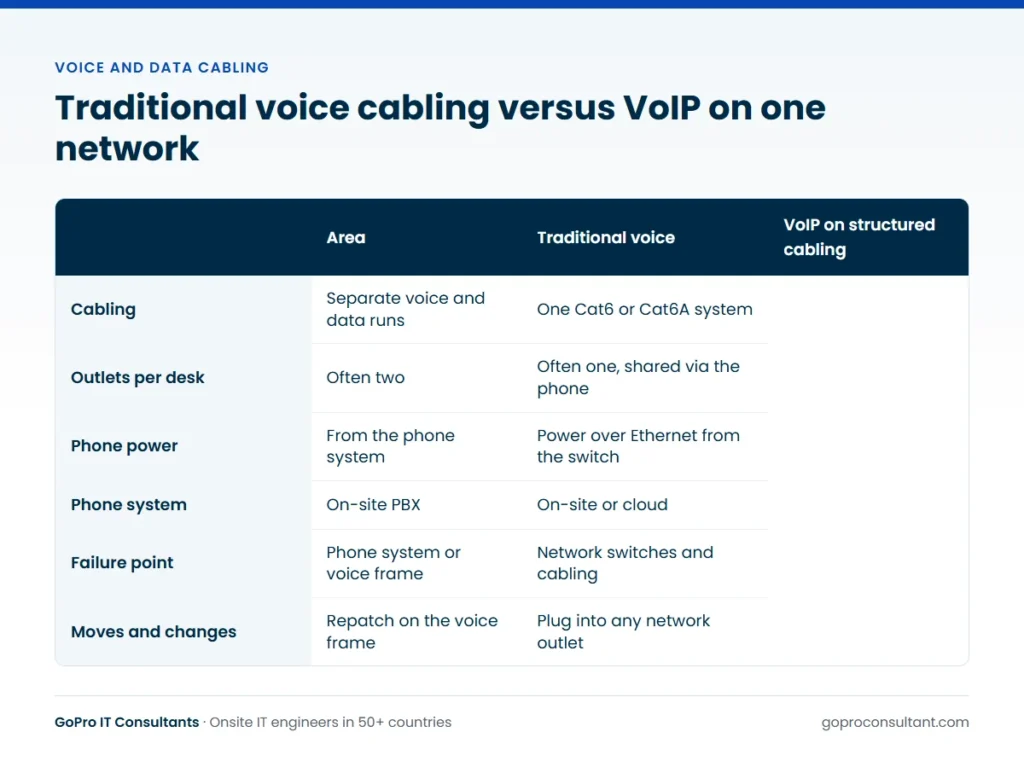
In the traditional setup, phones ran on their own cabling back to an on-site phone system (a PBX). Voice cabling was often lower grade, terminated on separate frames, and patched differently from the computer network. Many offices had two outlets at every desk, one for voice and one for data, sometimes in different colours.
You’ll still find this in older buildings. Old voice frames, multi-pair cables and analogue lines often stay in place long after the phone system that used them has gone. Some of it may still be live for alarm lines, lift phones, door entry or fax. Before anyone removes it, find out what’s still connected.
How VoIP changed business cabling
With VoIP, a desk phone is just another network device. It connects to an Ethernet port, gets an address, and registers with a phone system that may be in the cloud rather than in a cupboard. That has a few practical results:
- One cabling standard for everything. Every outlet is a network data cabling point, so any outlet can serve a phone, a PC, a printer or an access point.
- Fewer cables per desk. Many VoIP phones have a built-in switch port, so the PC plugs into the phone and the phone plugs into the wall. One outlet serves both.
- Power over Ethernet. Phones usually take power from a PoE switch, so there’s no power brick at the desk. It also means the switches and UPS carry the phone system’s power load.
- Voice depends on the network. If a switch fails or a cable is damaged, phones go down along with data. Network configuration, such as a voice VLAN and quality of service settings, becomes part of the phone system.
- Softphones and mobiles. Many staff now take calls on a laptop or mobile app, so wireless coverage matters for voice too.
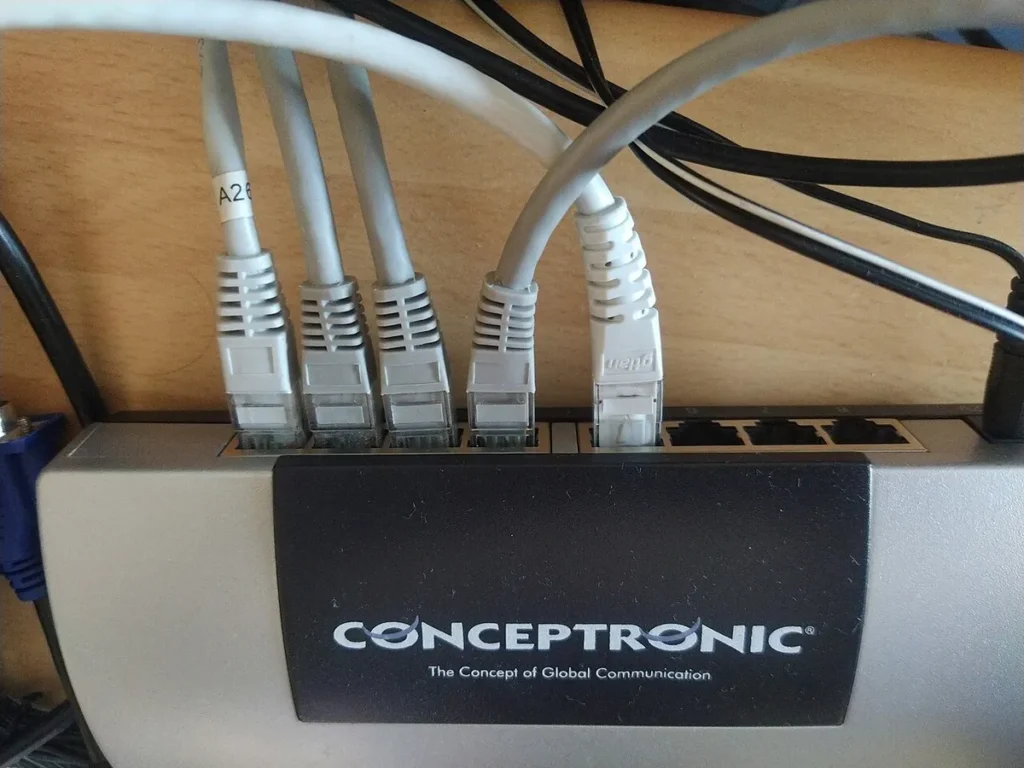
Data and network cabling for a modern office
For a new fit-out, the cabling is normally designed as one structured system. Horizontal cable runs from each outlet back to patch panels in a comms room or cabinet, and fibre links connect comms rooms on larger sites. Cat6 is common for desk points. Cat6A is often chosen for access points and wherever you want more headroom for future speeds. Every link is tested with a certification tester and labelled at both ends.
Plan the outlets around what will actually plug in, not only around desks. A typical list includes:
| Device | Cabling note |
|---|---|
| Desk phones and PCs | One outlet each, or one shared via the phone’s switch port |
| Wireless access points | Ceiling outlets, usually PoE, often Cat6A |
| Meeting room systems | Outlets at the screen, table and camera positions |
| Printers and copiers | Wall outlets near the planned location |
| Door entry, CCTV, alarms | Check whether they share the network or need their own |
| Reception and kitchen | Often forgotten until after the build |
Our guide to structured cabling installation walks through the process from survey to certification.
Sizing PoE and the UPS for phones
Once phones draw power from the network, the comms room carries a load it never had with an old PBX. Each switch has a total PoE budget as well as a per-port limit, and the PoE standards (IEEE 802.3af, 802.3at and 802.3bt) define different power classes. Desk phones with colour screens or expansion modules draw more than basic handsets, and access points and cameras often share the same switches. Add up the expected draw per switch from the device datasheets, compare it with the switch’s budget, and leave room for growth.
The UPS works the same way. If phones must stay up through a short power cut, the UPS has to carry the switches at their full PoE load, plus the firewall and router, for as long as the business needs. A UPS that comfortably held up a few switches before VoIP may run flat in minutes with phones added. And remember that a cloud phone system also needs the internet line and router powered, or the handsets stay lit but can’t make calls.
When separate voice cabling still makes sense
For most businesses moving to VoIP, no. A single structured system is simpler, more flexible and easier to support. There are some exceptions worth checking with the site:
- Analogue lines still used by alarm panels, lift emergency phones or door entry systems.
- Older equipment such as franking machines or card terminals that expect a phone line.
- A phone system that’s staying in place for now, even if the plan is to move to VoIP later.
Many traditional phone networks are being switched off and replaced with digital services, so analogue lines that look permanent may not be. Ask the line provider and the end client what the plan is for each line before you build around it.
Moving into an office with existing cabling
Taking on a building that’s already cabled can save a lot of work, but only if the cabling is in decent shape. Before you plan around it, find out the cable category, whether it was ever certified, and whether the outlets and patch panels are labelled in a way you can follow. Unlabelled patch panels and outlets that don’t match any drawing are common in offices that have changed hands a few times.
A sensible first step is a survey visit. An engineer can photograph the comms room, check outlet labelling against the floor plan, note any old voice frames, and test a sample of links. That tells you whether to reuse, repair or replace before the move date is fixed, rather than finding out on the first morning when half the phones won’t register. Our site survey service covers this kind of visit.
Reuse, repair or recable
The survey results usually point to one of a few answers. This table is a rough guide, not a rule, and the test results should decide close calls.
| What the survey finds | Usual answer | Why |
|---|---|---|
| Cat6 or better, certified, labelled | Reuse | Re-test a sample and patch to the new layout |
| Cat5e in good order, phones and PCs only | Reuse for now | Fine for voice; plan new runs for access points |
| Good cable, poor labels or no records | Repair | Trace, test and relabel before go-live |
| Damaged runs or failing tests on many links | Recable affected areas | Patching faults keep coming back otherwise |
| Old voice-grade cable to desks | Recable | Not suitable for an Ethernet-based phone system |
| Outlets in the wrong places for the new layout | Add new runs | Long patch leads across floors cause faults |
If recabling is on the table, our post on commercial network cabling cost explains what drives the quote.
What to check before a phone system change
Changing phone systems is where cabling problems usually surface. Before go-live, confirm:
- Every phone location has a working, patched network outlet.
- The switches have enough PoE ports and enough PoE power budget for all the phones.
- The UPS can carry the extra load, if phones need to stay up through a short power cut.
- Voice VLAN and quality of service are configured on the network.
- Any remaining analogue lines are identified, labelled and kept working.
- Someone is on site on the day to swap handsets, move patch leads and test calls.
The cabinet side matters as much as the outlets. Clear patching and labelling make the cutover far quicker. See our post on network cabinet setup for that part.
A typical VoIP cutover, step by step
Say you’re an MSP moving a client’s office from an old on-site PBX to a cloud phone system. The office has existing network cabling, a voice frame in the comms room, and a mix of desk phones, a reception console and a couple of analogue devices nobody has mentioned yet.
Survey
An engineer visits a few weeks ahead. They walk the floor with the plan, check each phone location has a live network outlet, photograph the voice frame and note every line still connected to it. This is where the analogue devices turn up: often a lift phone, an alarm communicator or a door entry panel. Each one goes on a list with its location and what it connects to.
Preparation
Your network team sets up the voice VLAN and quality of service, checks the PoE budget and UPS, and stages the handsets so they provision on first connection. Decisions get made about each analogue device: move it to an adapter, a dedicated line or a replacement service, agreed with the end client and whoever supports that system. Missing outlets are added or a patch-through-the-phone plan is agreed.
Cutover day
Usually out of hours, so users arrive to working phones. The engineer swaps handsets desk by desk, patches outlets to the right switch ports, and checks each phone registers and can make and receive a call. Numbers are ported by the phone provider at the agreed time, and test calls in and out confirm the routing. The reception console gets special attention, because it’s the first thing anyone notices if it’s wrong.
Day one
It’s worth keeping an engineer on site for the first morning. Most problems are small and physical: a phone on an unpatched outlet, a PC that stopped working because it’s now plugged through the handset, a headset that needs a different adapter. Old handsets are collected, and the report lists every phone with its location and serial.
Common mistakes on voice and data projects
- Stripping out the voice frame before checking it. Alarm or lift lines go dead, and nobody notices until a test call fails or the alarm company rings.
- Planning outlets only for desks. Ceiling access points, meeting rooms and reception get forgotten.
- Assuming the existing switches are PoE. Or that their PoE budget covers every phone.
- Forgetting the UPS. Phones that used to stay up through a short power cut now go down with the switches.
- Daisy-chaining PCs through phones without checking. Some phone switch ports run slower than the PC needs.
- No one on site at go-live. Remote teams can configure everything except a loose patch lead.
Rolling out across branches and stores
Phone and cabling changes across many sites add their own problems. Each branch tends to have its own odd analogue device, often a card terminal, alarm line or lift phone, so a short per-site survey or a photo checklist completed by local staff saves surprises. Retail sites usually need work done before opening or after closing, which shapes the schedule. If card terminals or tills share the network, coordinate with whoever supports the EPOS system so a cutover doesn’t take payments offline.
Across countries, phone number porting rules, line providers and lead times all differ, and local building rules can limit when contractors can work. A pilot site proves the per-site checklist, the handset staging and the cutover timing before you commit to a run of waves.
Voice and data cabling terms
PBX: a private branch exchange, the phone system that routes calls within a business. It can be on site or hosted in the cloud.
SIP trunk: a phone line delivered over an internet or data connection rather than copper telephone lines.
Voice VLAN: a separate virtual network for phones, so voice traffic can be prioritised and kept apart from data.
QoS: quality of service, the switch and router settings that give voice traffic priority so calls don’t break up.
LLDP-MED: a discovery protocol many phones and switches use to agree the voice VLAN and power level automatically.
Voice frame: the wall-mounted termination block where older multi-pair phone cabling was jumpered to lines and extensions.
Certification test: a test with a cable certifier that checks a link meets its category’s performance limits, not just that the wires connect.
Getting voice and data work done on site
For an MSP or telecoms provider, the phone system itself is usually configured remotely. What you need locally is someone to patch outlets, swap handsets, check PoE and test each phone before users arrive. That’s standard on-site work for our engineers, and they can attend under your brand as part of our white-label IT services.
For a single office, book a field engineer dispatch visit on an agreed date, including nights or weekends for a cutover. For phone or network changes across many sites, a multi-site rollout starts with a pilot site and then works in waves with a daily tracker. If you also want help running the network that voice now depends on, look at our managed network services. Every visit ends with a site visit report within 24 hours, listing work done and anything outstanding.
Frequently asked questions
Can a VoIP phone and a PC share one network outlet?
Often yes. Many VoIP phones have a built-in switch port, so the PC connects to the phone and the phone connects to the wall outlet. Check the phone model supports it and the network is configured for it.
Is Cat5e cabling good enough for VoIP phones?
Voice traffic itself needs little bandwidth, so existing Cat5e often works for phones. For new installations, Cat6 or Cat6A is the usual choice so the cabling can support faster data and future devices.
What happens to the phones during a power cut?
If the phones are powered by PoE switches, they stay up only as long as the switches have power. A UPS on the switches keeps phones working through short outages.
Should old voice cabling be removed?
Only after confirming nothing still depends on it, such as alarm lines, lift phones or door entry. Redundant cable can then be removed or clearly marked.
Need hands on site for a phone cutover?
Our engineers patch outlets, swap handsets and test phones under your brand, with a site visit report within 24 hours.
Book an engineer