

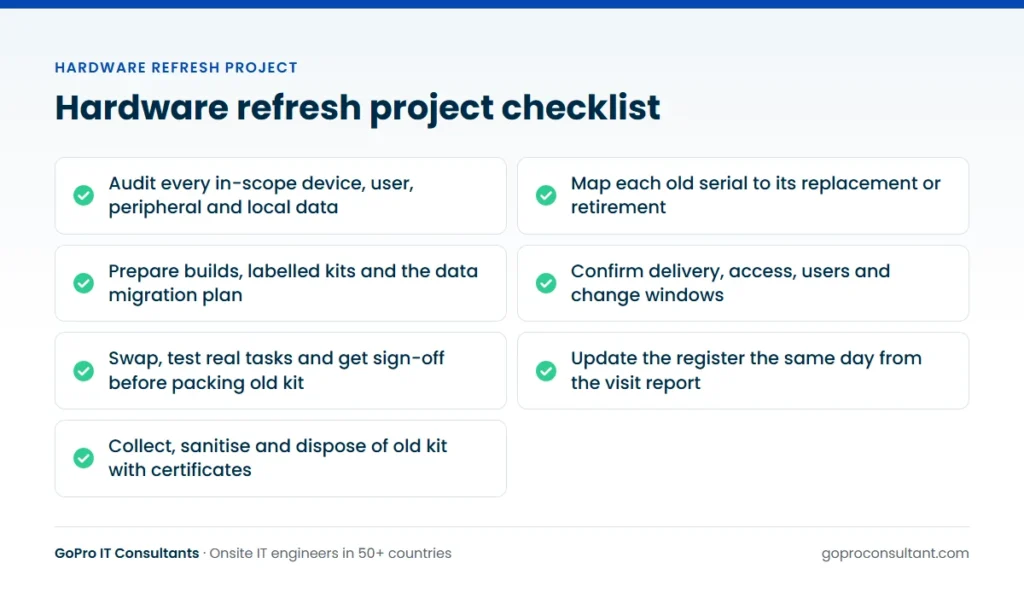
A hardware refresh project replaces working kit with new kit, which makes it different from a fresh install. Every new device has an old one to retire, a user or service that depends on it, and data that has to move or be destroyed. This checklist follows that cycle from audit to secure disposal, so nothing gets left behind on site or on the register.
It assumes you’ve already set the programme plan and wave order. If not, start with our post on hardware refresh strategy for multi-site estates. For generic install-day tasks that apply to any rollout, our IT rollout checklist covers those. This one focuses on what’s specific to swapping old for new.
1. Audit what’s actually there
The register is a starting point, not the truth. Before you order anything, confirm per site:
- Every in-scope device, with model, serial, asset tag and location
- Who or what uses it: a named user, a shared desk, a till, a service on a server
- Attached peripherals: docks, monitors, scanners, receipt printers, card readers
- Local data: files on the device, local databases, scanned documents
- Devices not on the register that will need a decision
Unregistered kit is the usual surprise. Decide in advance whether engineers replace it, record it, or leave it alone.
For large estates you won’t visit every site before the rollout. Audit a sample of each site type instead, and ask site contacts to confirm device counts against a simple list. Where the gap between register and reality is large, push those sites into a later wave so there’s time to correct the data and the order.
2. Map old to new for the hardware refresh project
Build a one-to-one map: each old serial against the new device that replaces it, or a note saying it’s being retired without replacement. This map drives everything later, from kitting to the disposal certificate.
Check compatibility while you’re at it. New laptops may need different docks or power supplies. New desktops may lack the serial port an old label printer needs. New POS terminals may not support the existing cash drawer. Finding this on install day means a return visit, so check it on the pilot site first.
3. Prepare builds, kits and data migration
- Image and enrol devices, and test the build on the pilot site
- Label each device by site and user, matching the old-to-new map
- Confirm how user data moves: synced profiles, cloud storage, or a local copy on the day
- For servers, agree the migration plan and the rollback point with the application owner
- Pack accessories with each device, not in a separate box that arrives a day later
If user data is copied locally on the day, write down exactly which folders and how the user signs off that it’s all there. “Copy their stuff” is not a task an engineer can complete with confidence.
4. Confirm site readiness before anyone travels
Two to three working days before the visit, check:
| Check | Why it matters |
|---|---|
| Kit delivered and held securely | No kit, no visit |
| Site contact and access confirmed | Engineers waiting at reception cost time |
| Users told when they’ll lose their device | Avoids mid-meeting swaps and refusals |
| Network ports, power and space available | New kit may need more than the old |
| Change window agreed for servers or network | Outages need sign-off in advance |
| Packaging and labels for old kit on site | Retired devices need to leave tidily |
Our IMAC services cover the install, move and change visits that make up most refresh days, under your brand if you need it.
What to put in each refresh ticket
The engineer arrives knowing only what the ticket says. A good refresh ticket includes:
- Site address, contact name and phone, opening hours and any access or induction rules
- The old-to-new map for that site, with serials and user names
- Where the new kit is being held, and how many boxes to expect
- The data migration steps, and which folders or applications the user must confirm
- The tests to run per device type, such as a test print, a scan or a card payment in test mode
- Who to call if a build fails, with a number that will be answered at the visit time
- What happens to the old kit: packed for collection, left in a named store room, or taken off site
- Photos required: new kit installed, old kit packed, labels showing serials
5. Swap, test and get sign-off
On the day, the engineer works through the map: confirm the old serial, migrate data if that’s in scope, install the new device, connect peripherals, and test what the user or service actually does. Printing a receipt, scanning a barcode and joining a call are better tests than “it boots”.
Get the user or site contact to confirm before the old device is packed. Once it’s wiped or boxed, recovering a forgotten file is much harder. Any device that can’t be swapped gets recorded with the reason, and the return visit is raised as a new ticket.
Shared devices need extra care. A reception PC, a warehouse scanner or a shop till may have no single owner to sign off, so name a site contact who can confirm on behalf of everyone who uses it. For tills and other trading kit, swap outside trading hours or one lane at a time, and keep the old unit on standby until the new one has handled a real transaction. Servers follow the same logic: the old host stays powered off but intact until the application owner confirms the migration, then it joins the disposal queue.
Extra checks for server and network swaps
Infrastructure swaps carry more risk than endpoints, because one device can take a whole site offline. Before the window opens, back up the running configuration of every switch, router and firewall being replaced, and keep a copy off the device. Photograph the front and rear of the cabinet and record which cable goes into which port, so the new kit can be patched like for like or to a new agreed plan. Agree a rollback point: the time by which, if the new device isn’t passing traffic, the old one goes back in. Have someone remote on the call who can check monitoring, VPN tunnels and cloud management as the new kit comes up. For server and storage swaps in a comms room or data centre, our data centre support covers rack and stack, hardware swaps and cabling.
6. Update the records the same day
We send a site visit report within 24 hours with photos, serial numbers, work done and anything outstanding. Use it to update the asset register and CMDB: new serials in, old serials marked as retired and awaiting collection. Don’t let this slip to the end of the wave. Registers drift fastest during a refresh, because devices are changing hands every day.
Keep a running count per site of devices installed, devices removed and devices still to be collected. If those three numbers don’t reconcile, find out why before the next site starts. A missing laptop is far easier to trace the day after the visit than a month later, when the engineer, the site contact and the courier have all moved on to other work.
7. Collect, sanitise and dispose of the old kit
This is where refresh projects most often leave risk behind. Old laptops sit in a cupboard for months, a server goes into a skip with its drives still inside, or a box of devices leaves site with no record of what was in it. Treat IT asset disposal as part of the project, with the same tracking as the install.
- Decide per device type: redeploy, resell, recycle or destroy.
- Record every outgoing serial against the old-to-new map.
- Agree how data is sanitised, and whether drives are wiped or destroyed. NIST SP 800-88 is a commonly referenced guideline for media sanitisation.
- Keep chain of custody from the site to the recycler, with signed handovers.
- Get certificates of data destruction and recycling that list serial numbers.
- Close each device on the register only when its certificate is filed.
We handle this through certified recycling partners. You can see how it works on our IT asset disposition (ITAD) service page, and our guide to IT asset disposition goes deeper on sanitisation methods and the paperwork to ask for. A hardware refresh project is only complete when the last old serial has a certificate against it.
A worked example: one branch office in one visit
Say a branch with around thirty staff is getting new laptops, docks and a new access switch in the same visit. The audit found two desktops that weren’t on the register and a label printer on a USB adapter that nobody had mentioned. Both are on the old-to-new map before the order goes in: the desktops are retired without replacement, and the label printer gets a tested adapter in the kit.
The kit is delivered three working days ahead and the site contact confirms the box count against the delivery note. Users get a notice with their swap slot. The switch goes in first, in the evening before, with the configuration backed up and the port map photographed. That way the laptops are swapped onto a network that’s already been proven.
On the day, users come to a swap desk in slots. Each one logs in, checks their files, joins a test call and signs off. Then the old laptop is wiped or tagged for off-site sanitisation, packed and labelled. One user is on leave, so their device is set up and left with the site contact, and the swap is recorded as outstanding. The report goes in the same day, the register is updated that evening, and a return ticket is raised for the absent user. The old kit is collected later that week, and each serial is closed only when the certificate comes back.
Common mistakes on refresh days
Packing the old device too early
An engineer under time pressure boxes the old laptop before the user has checked their data. Make sign-off a hard step in the runbook, not a courtesy.
Shipping accessories separately
New laptops arrive, docks and power supplies don’t. The engineer installs half the job and a return visit follows. Kit by user, in one box, wherever you can.
Leaving old kit on site with no owner
Boxes of retired devices sit in a store room waiting for a collection nobody booked. That’s data-bearing kit with no chain of custody. Book the collection when you book the visit.
Testing that it boots, not that it works
A till that powers on but can’t open its cash drawer isn’t done. Define the real tests per device type and put them in the ticket. Our EPOS installation checklist lists the trading tests for tills.
What good looks like when a site closes
Agree the acceptance criteria before the pilot, so everyone knows what “done” means for a site:
| Criterion | Evidence |
|---|---|
| Every mapped device installed or recorded as outstanding | Site visit report with serials and reasons |
| Users or site contact signed off | Named sign-off per device or per shared device |
| Real tasks tested | Test results or photos in the report |
| Installed, removed and to-collect counts reconcile | Tracker line for the site |
| Register updated | New serials in, old serials marked retired |
| Old kit collected under chain of custody | Signed handover from site to collector |
| Disposal certified | Certificate listing each old serial |
Any return visit is raised as a new ticket, with what was found and what’s needed. For one-off return visits between waves, field engineer dispatch on a next business day or scheduled tier is usually enough. And when it’s time to plan the next round, our post on the hardware refresh cycle covers how often each kind of kit should come round again.
How GoPro IT Consultants handles refresh visits
Our engineers work through your old-to-new map on site, under your brand and with your report template if you need it. They’re screened and briefed before each job, and they never discuss commercial terms with the end client. Every visit gets a site visit report within 24 hours with photos, serial numbers, work done and anything outstanding, so your register can be updated the same day. Parts and kit are shipped by you or your vendor. If a swap can’t be finished, the engineer records what was found and what’s needed, and the return visit is a new ticket. Old kit can go through our certified recycling partners, with records by serial number.
Frequently asked questions
Should old devices be wiped on site or off site?
Either can work. Agree the method before the project starts and record each serial so the sanitisation certificate can be matched to the device.
What if we find devices that aren't on the asset register?
Decide in advance whether engineers replace them, record them for a later decision, or leave them untouched, and make sure the site visit report lists them.
Can old kit be redeployed instead of recycled?
Yes, if it's still supported and in good condition. It still needs data sanitising and a register update before it goes to a new user or site.
When should the old device be packed away?
Only after the user or site contact confirms the new device works and their data is all there.
Need engineers for your refresh waves?
We run pilot sites and waves with daily trackers, and handle old kit through certified recycling partners.
Talk to us